Entity Texture Features for 1.21.1: Versions, Loaders and What Changed
Minecraft 1.21.1 is the version most modpacks settled on. Here is how to choose the right ETF build and update without breaking packs.
Minecraft 1.21.1 became the long-term base for many modpacks, and ETF Mod has kept pace with it. If you are moving an older setup forward, this page explains which file to pick and what to check.
Key takeaways
- Use the build tagged 1.21.1 for your loader; 1.21 builds may also be listed as compatible.
- 1.21.x needs Java 21.
- Update ETF, EMF, Sodium and Iris together.
Choosing the right file
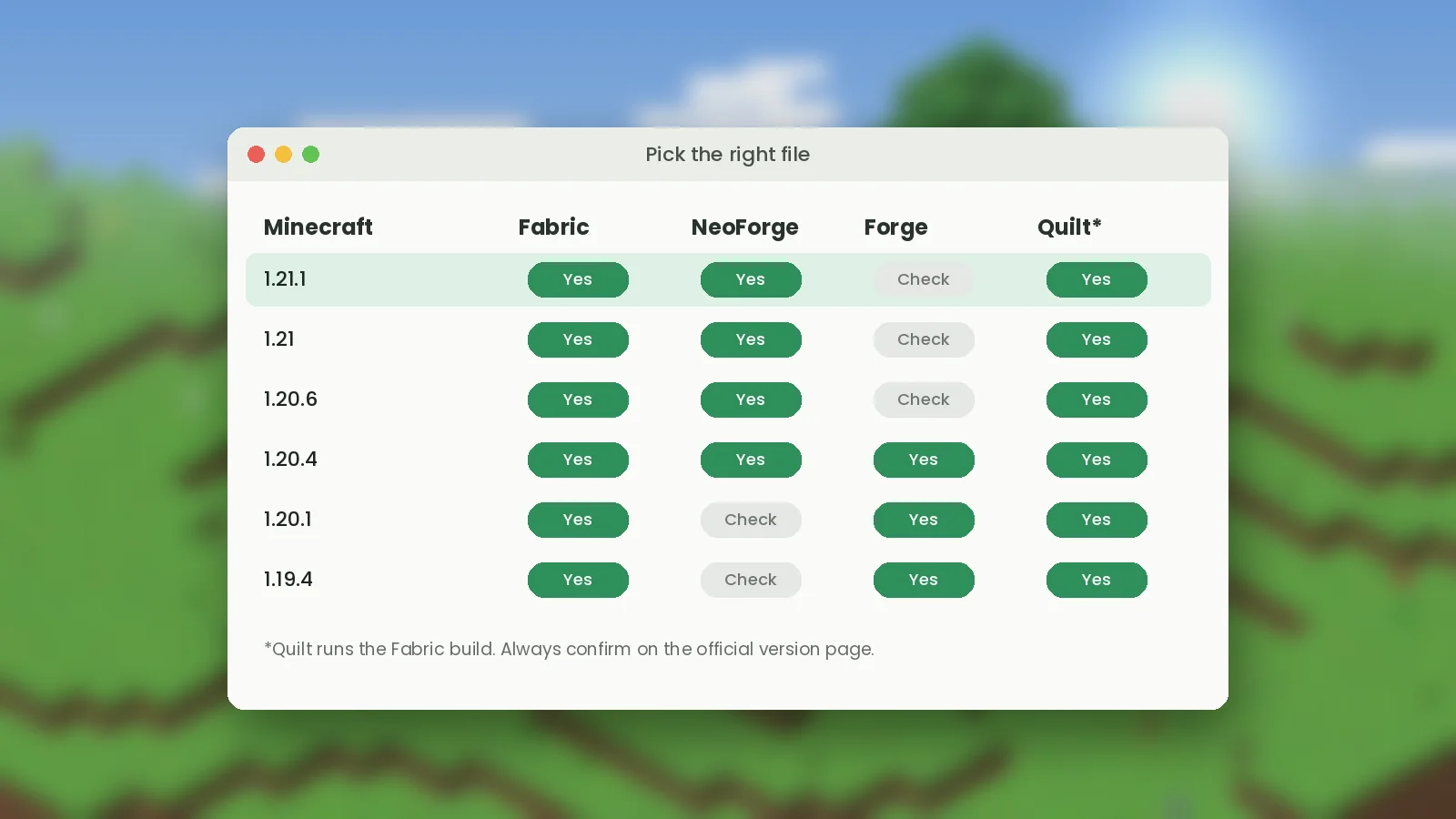
On Modrinth, set the version filter to 1.21.1 and your loader. Fabric and NeoForge are the main targets for 1.21.x. Quilt players can use the Fabric build. Forge support differs between versions, so check the file list rather than assuming.
Updating from older versions
- Back up your world and your
modsandconfigfolders. - Create a fresh Fabric or NeoForge profile for 1.21.1.
- Download every mod again for 1.21.1; older jars will not load.
- Check that your resource packs list 1.21 support, then reload with F3 + T.
What changes for pack makers
Mob textures that Mojang reworked between versions may move to new file paths. When a variant stops showing after an update, compare your folder layout with the current vanilla texture paths. The ETF changelog on each release notes format changes worth reading before you update.
What is next
Our newsletter sends one email per ETF release so you know when a new build is ready. For install steps see the installation guide.